Chrome · Edge · Brave
Transform Case, right where you're typing.
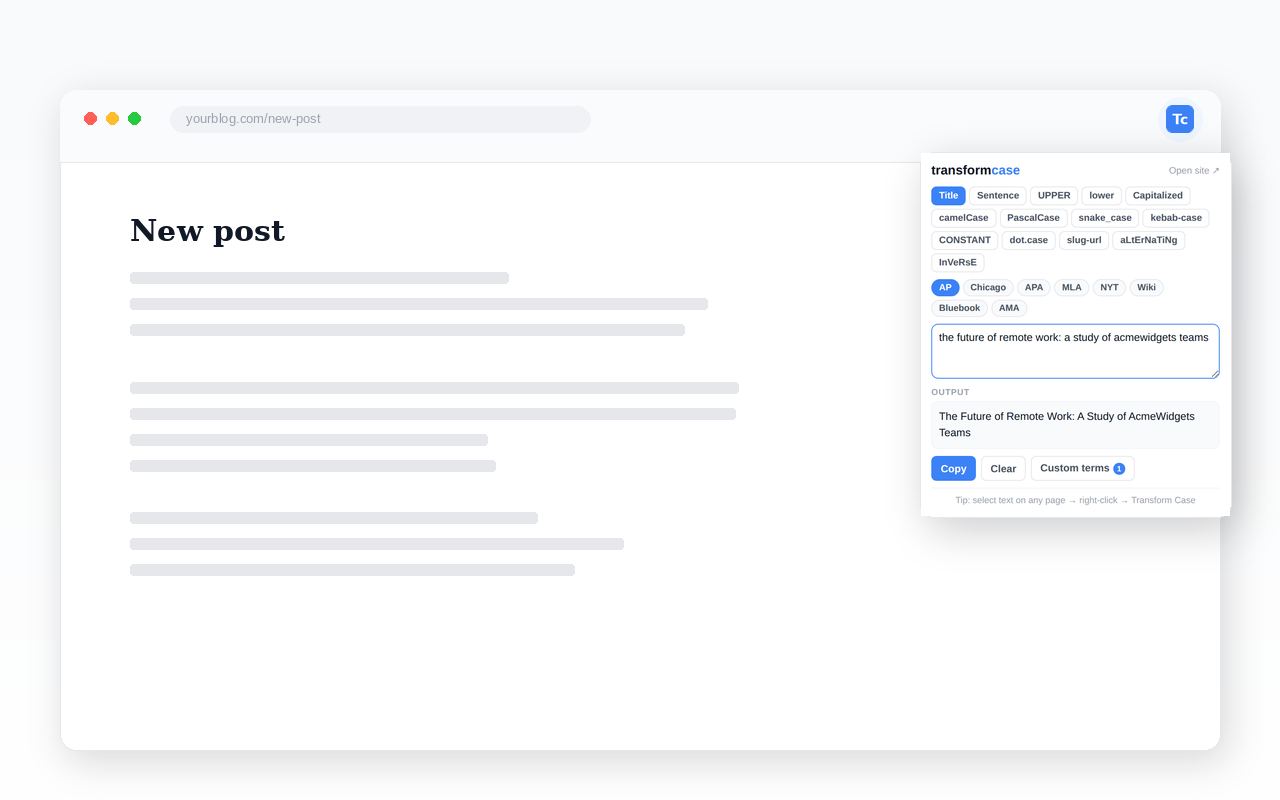
The same conversion engine as this site — Title Case, UPPERCASE, camelCase, and more — as a right-click menu and toolbar popup, in any editable field on any page.
Submitted to the Chrome Web Store — pending review.
This page will link straight to install the moment it's live. Check back soon, or see how it works below.
This page will link straight to install the moment it's live. Check back soon, or see how it works below.
What it does
- Title Case, done correctly — 8 style guides: AP, Chicago, APA, MLA, NY Times, Wikipedia, Bluebook, and AMA. Each has different rules for which words get capitalized.
- Every common case — Sentence case, UPPERCASE, lowercase, Capitalized Case, camelCase, PascalCase, snake_case, kebab-case, CONSTANT_CASE, dot.case, slug-url, aLtErNaTiNg, and InVeRsE.
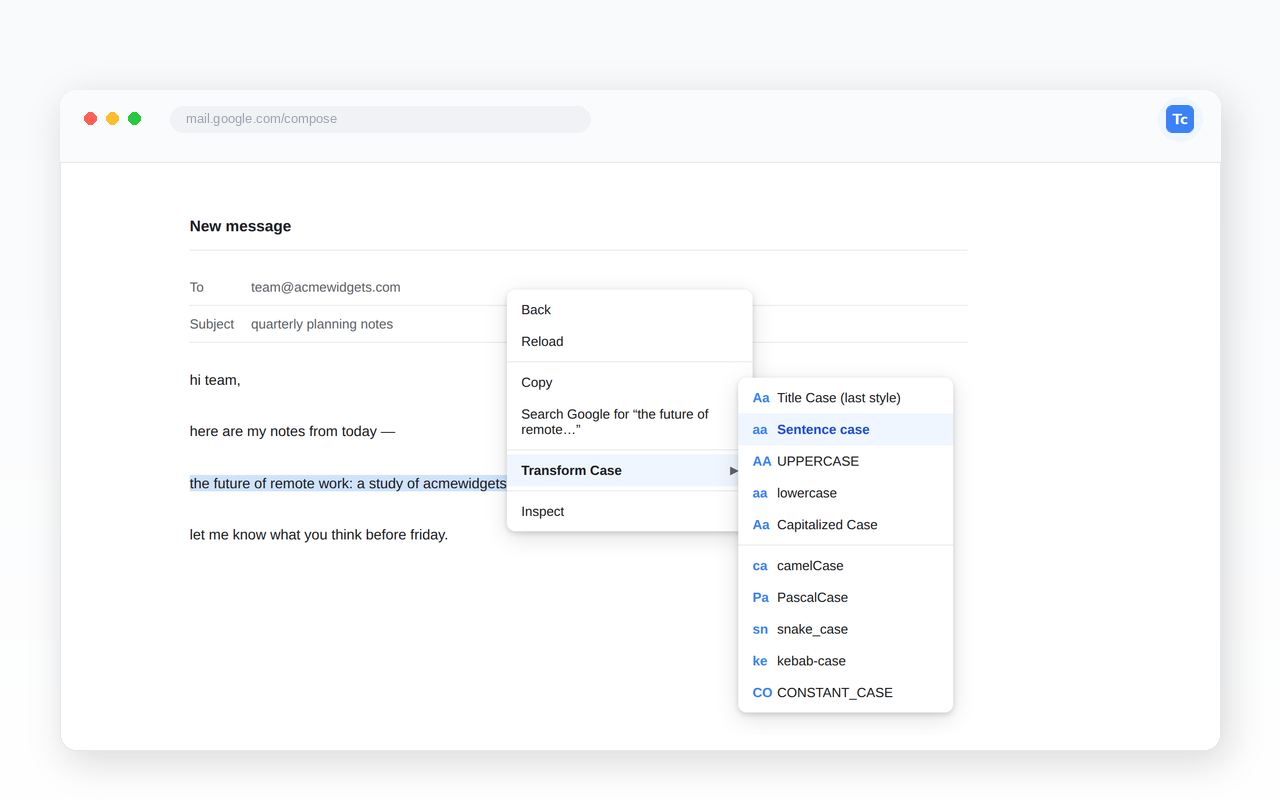
- Works right where you're typing — select text in Gmail, Google Docs comments, a CMS editor, a code review tool, or any text field. Right-click, and the converted text replaces your selection in place.
- Custom terms — teach it your brand names or any word it doesn't already know. Saved locally in your browser.
- Keyboard shortcuts — Alt+U for UPPERCASE, Alt+L for lowercase, Alt+T for Title Case, Alt+S for Sentence case.
- Built-in proper-noun dictionary — iPhone, GraphQL, NASA, PostgreSQL, and thousands more stay correctly capitalized.
How to use it
- Select any text on any page.
- Right-click → Transform Case → pick a conversion.
- Done — the text is replaced in place if you're in an editable field, or copied to your clipboard if the page is read-only.
Or click the toolbar icon for the full converter: paste text, pick a mode, copy the result.
Privacy
Everything runs locally in your browser. Your text is never sent to any server — not ours, not anyone's. Your style preference and custom terms are stored only in your browser's local extension storage. See the full privacy policy for details, including exactly what each permission is used for.
More questions? See the extension FAQ for permissions, keyboard shortcuts, and how it's tested.